Integrate Distru With Bridge Nexus
Last updated: Nov 02, 2026
17
views

Distru Integration
You have the ability to connect your Distru account with Bridge Nexus for ordering purposes.
What it is: A direct API connection between your Distru account and your Bridge Nexus account, used to import companies (stores/buyers), products, and orders — and to push orders back into Distru.
How it works:
- Generate an API key inside Distru (Settings → Integrations → Distru API)
Instructions for this can be located via the following Distru help article: https://help.distru.com/en/articles/12314293-distru-api-faq
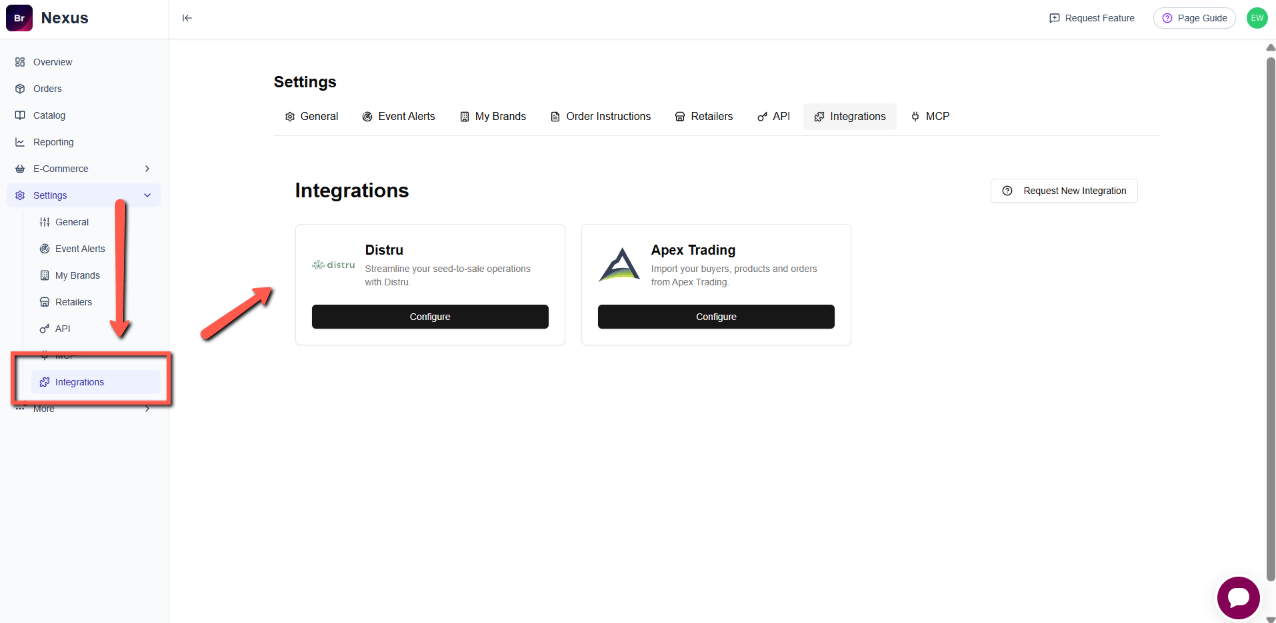
- Paste that API key into Headset (Nexus → Settings → Integrations → Distru)
- Headset validates the token
- Once connected, Headset can:
- Import the customer's companies, products, and orders from Distru
- Push orders back into Distru on the customer's behalf
What you need:
- A Distru account with API access enabled
- A valid Distru API key (generated in Distru's settings)
- A Headset account (Nexus)
Instructions For Generating A Distru API and Connecting
- Log in to app.distru.com
- Go to Settings → Integrations → Distru API
- Create an API key (if one doesn't already exist)
- Copy the key
- Log in to Headset, go to Settings → Integrations → Distru
- Paste the API key and click Save Configuration
- Optionally click Test Connection to verify
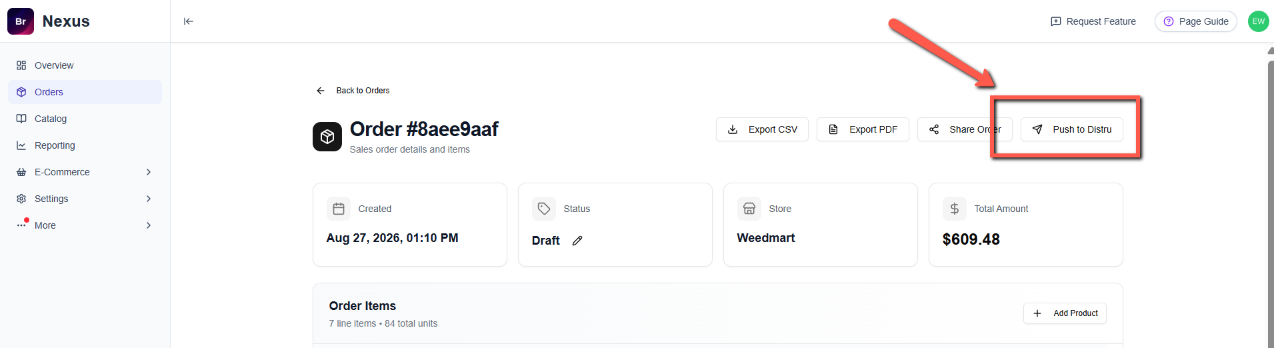
Once you have your Distru account integrated with Nexus, pushing orders back to Distru is as easy as clicking a button. Login to Nexus, and generate a new order for one of your store accounts. When the order has generated and been approved, look for the "Push To Distru" button in the upper right corner of your screen.