.png)
.png)


About This Dashboard
What is it?
This dashboard is an Overview of your combined stores performance if you have more than one location. The report will provide the previous day's sales, compared to the sAme day the week pror.

Why would you want this?
The All Store Summary provides a high level overview of your store(s) performance the previous day.
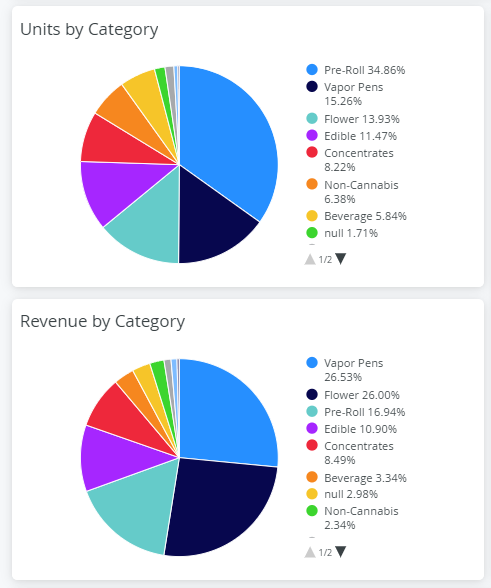
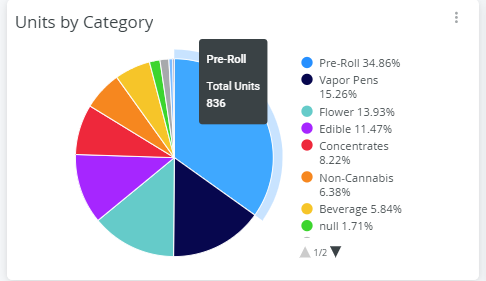
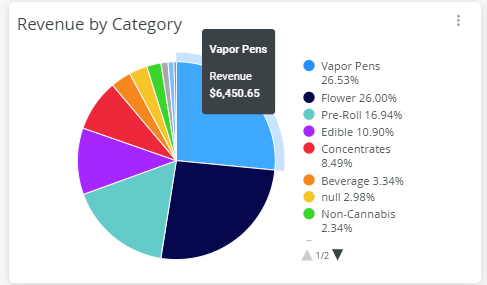
It also provides a breakdown of units and revenue by category. You can hover over each section of the pie chart to see the number of units sold or the revenue in dollars.
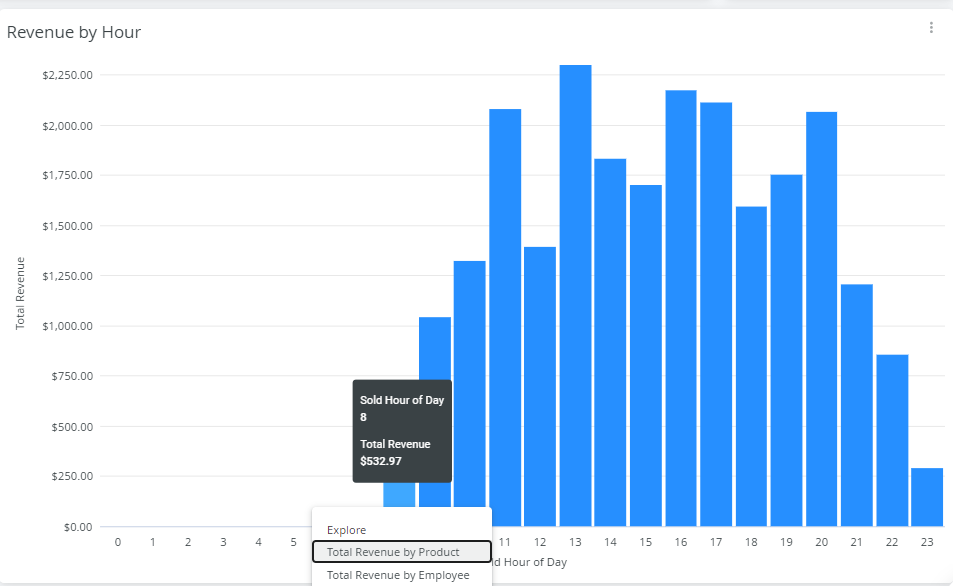
In the revenue by hour and revenue in the last 52 weeks you have the ability to click on any bar in the graph and drill into the sales details for that hour or week.

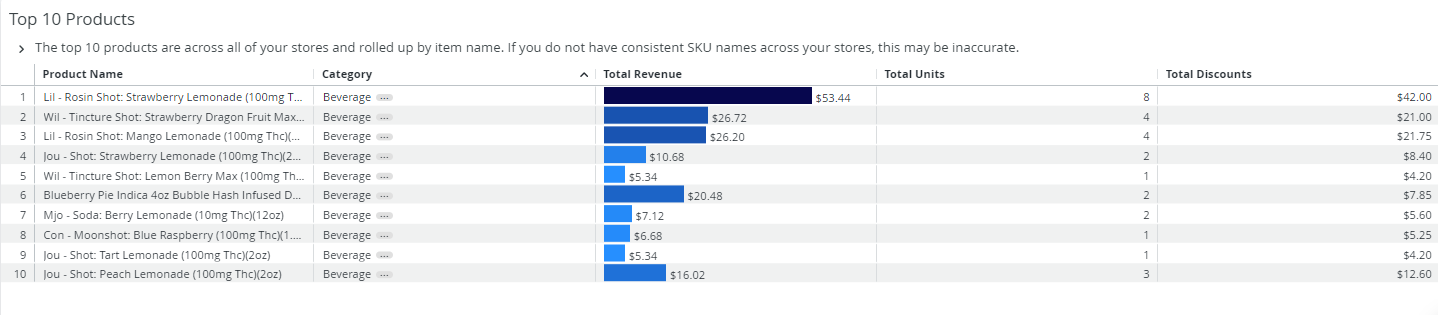
The last tile references your top 10 products across all locations.